Sending Draft Invoices for Review
You can send a Draft Invoice for review by one or more reviewers.
To send one or more Draft Invoices for review:
-
Select one or more rows, using the check boxes to the right of each row.
-
Click
 Send for Review on the Menu Bar.
The Send for Review pop-up displays.
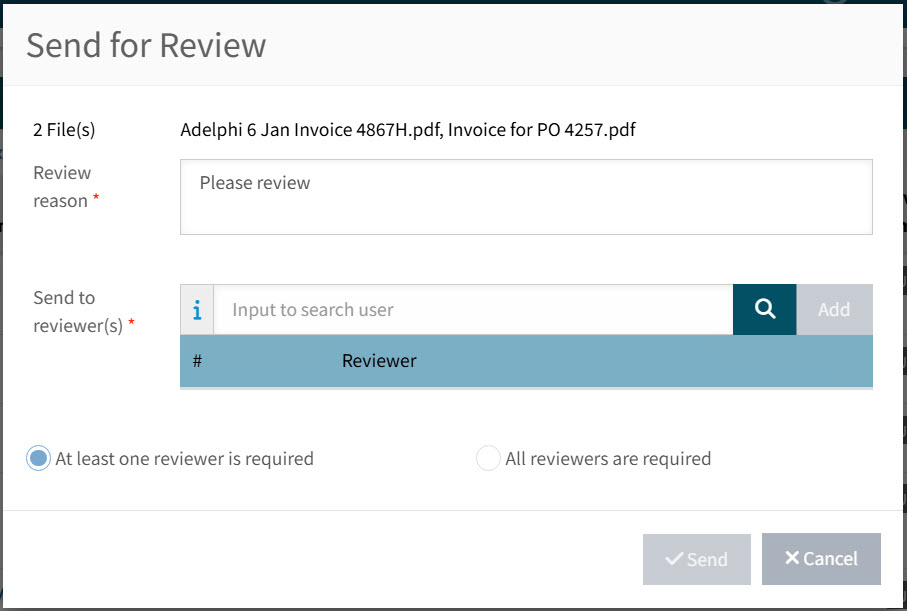
The selected files appear are listed alongside the [n] File(s) heading.
-
Optionally update the Review reason.
-
Select and Add one or more Send to reviewer(s) from the drop-down list.
These are users with the permission Approve Draft Invoices or Approve All Draft Invoices.
-
Keep At least one reviewer is required, or select All reviewers are required, as needed.
-
Click Send.
A "successful" notification appears on the bottom right of the page.