Overview of the Interface
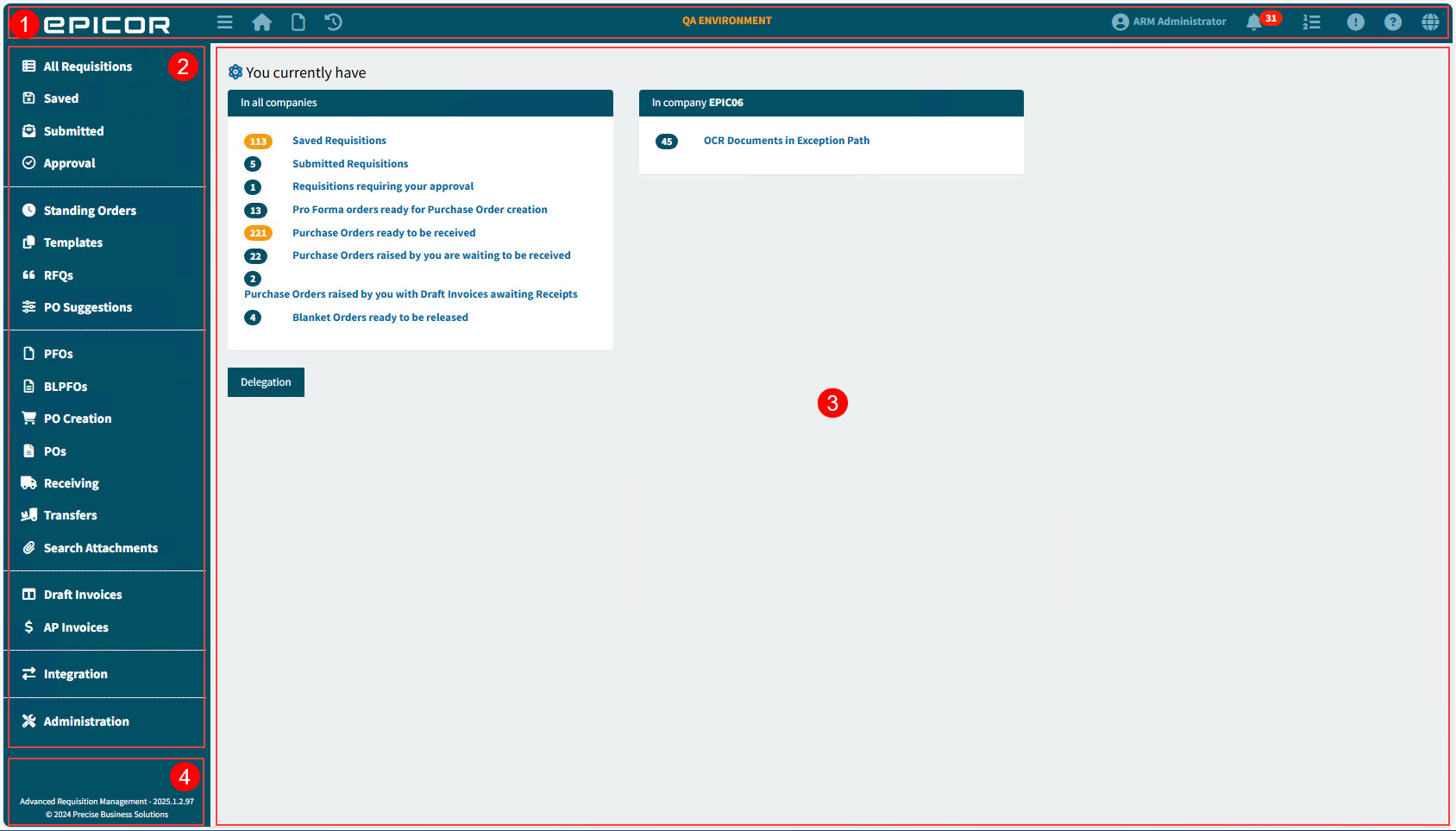
The ARM interface has fixed menu panels along the top and down the left side, framing the Main Panel. The structure remains consistent, regardless of who is logged in; menu items depend on the individual user logged in.
|
Top Menu Bar |
The Top Menu bar is standard for all users, and is fixed at the top of the page. The menu icons are described below. See Top Menu Bar. |
|
Side Menu |
The Side Menu has separate sections, containing Menu Items. The displayed Menu Items depend on the logged-in user’s permissions. See Side Menu. |
|
Main Panel |
The Main Panel is the main work area, used for the current function (for example, capturing a new Requisition). See Main Panel. The Dashboard appears in the Main Panel, as shown in this screenshot (see Dashboard). |
|
Application Information |
The section on the bottom left corner shows the Product Name and Version Number, with the Copyright. |


