Approving an AP Invoice
You can approve an AP Invoice if you are an active approver in the approval workflow and the AP Invoice has the Approval In Progress status.
To approve an AP Invoice:
-
Click on AP Invoice requiring your review/approval on your Dashboard, in the section for a specific company.
Detail
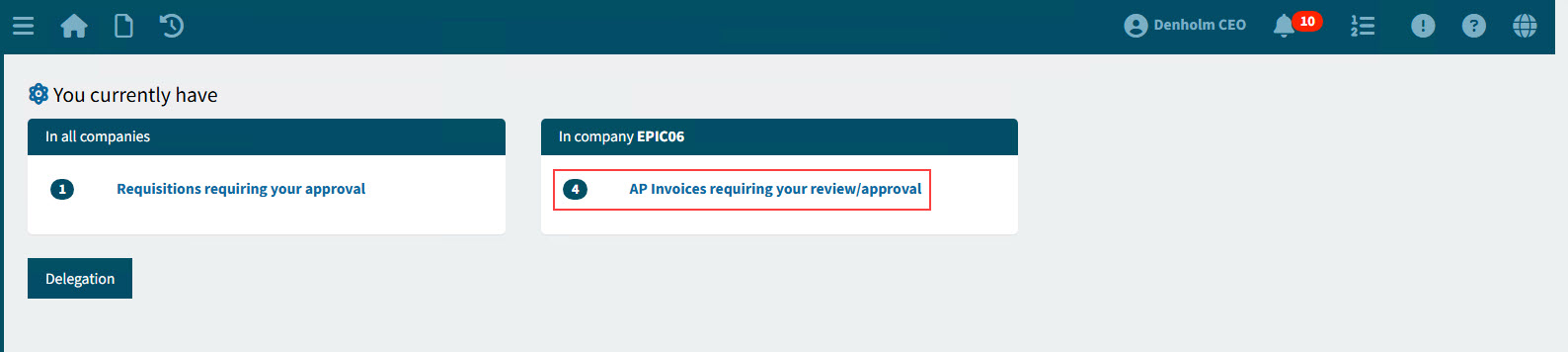
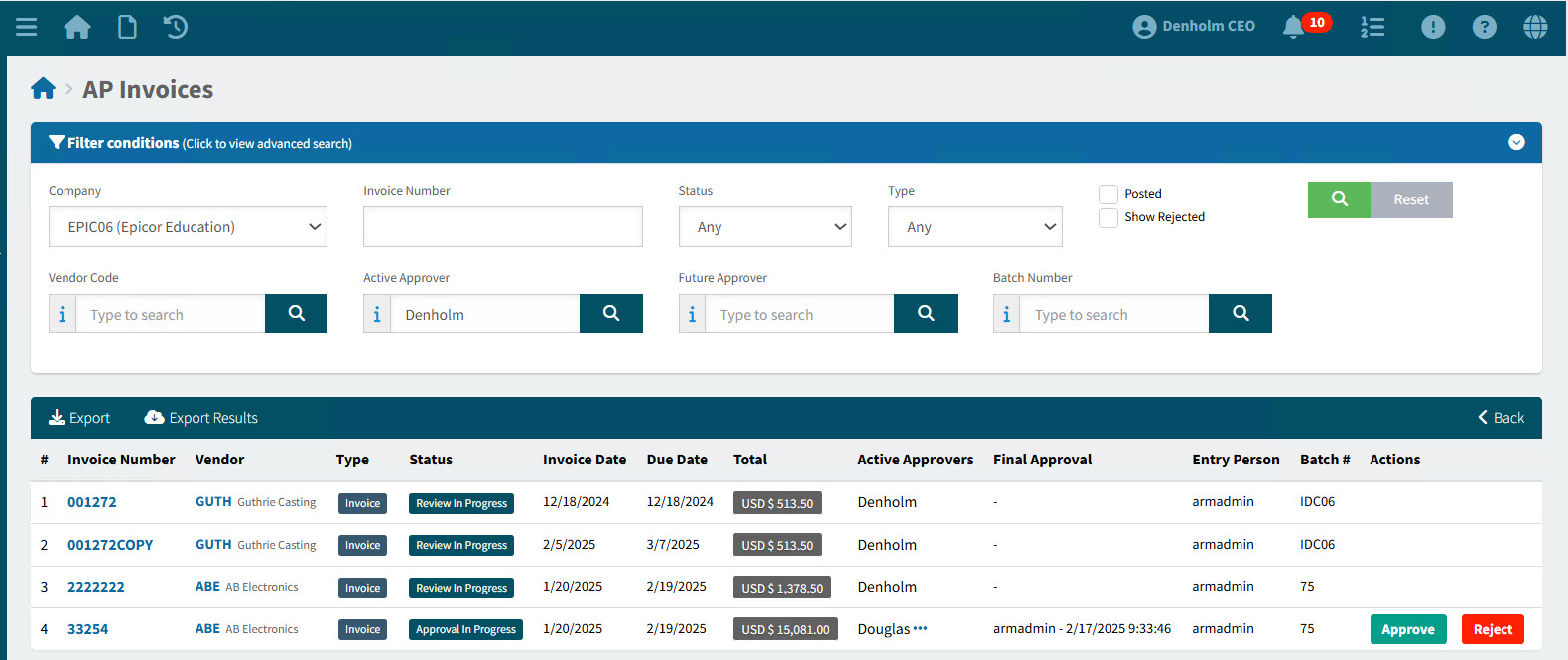
This opens the AP Invoices page, showing AP Invoices requiring your review or approval.
-
Click on the Approve button on an AP Invoice with the Status Approval In Progress, where you are listed as an Active Approver.
Details
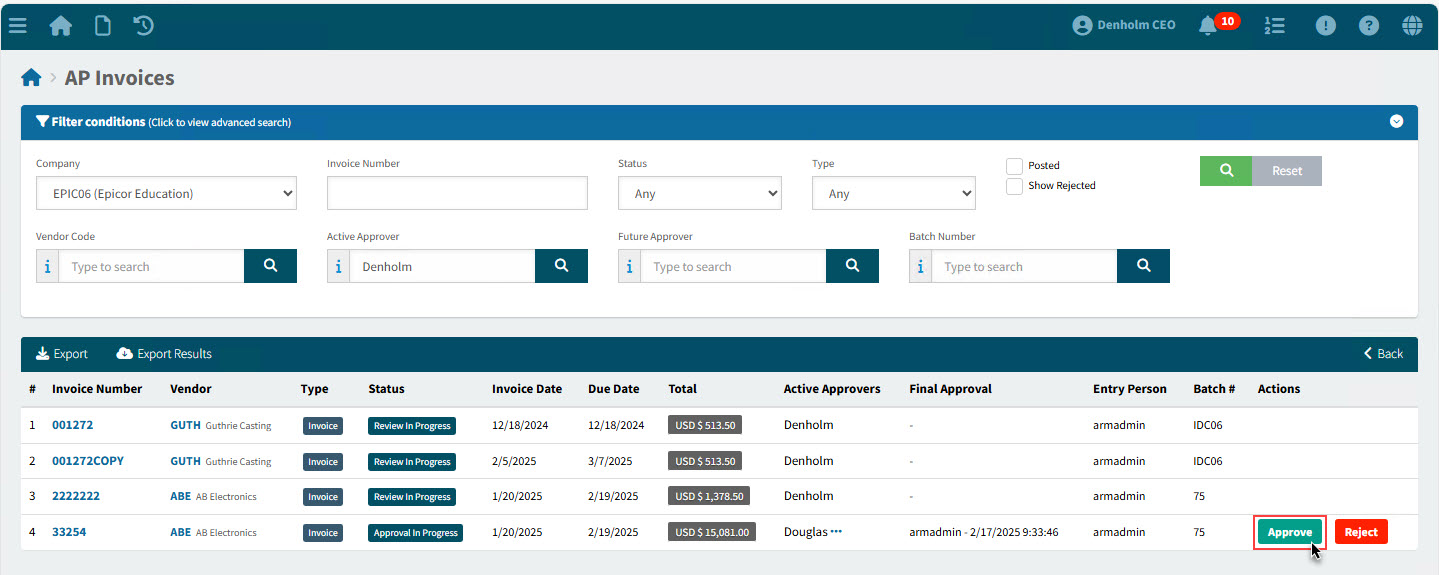
The AP Invoice is approved, with no further confirmation required.
-
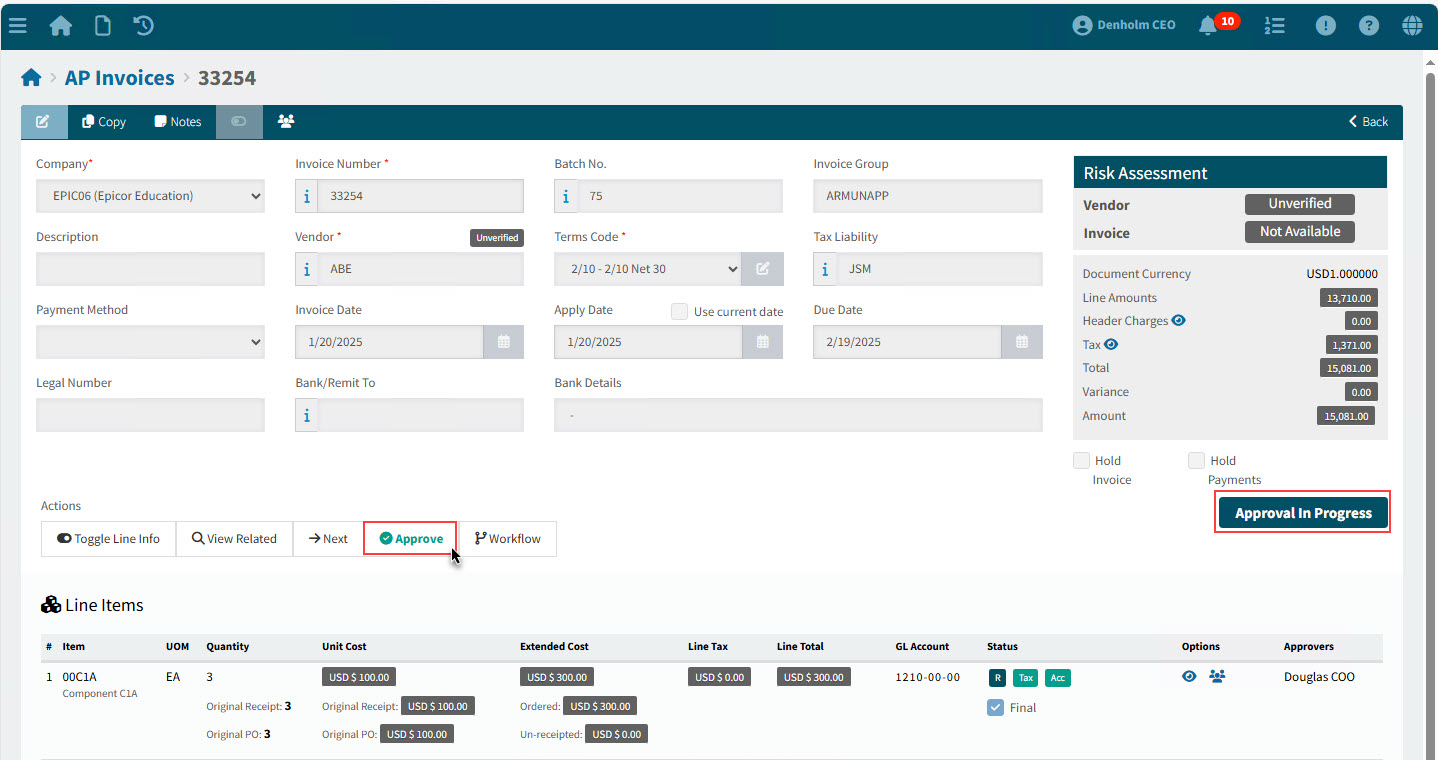
Alternatively, click on the Invoice Number to open the detail page.
-
On the AP Invoice > [Invoice Number] page, click Approve in the Actions section to approve the AP Invoice.
Details
To view the workflow diagram for a line, click on the View Workflow  button, at the end of the line, under the Options column. See Workflow Diagram. button, at the end of the line, under the Options column. See Workflow Diagram.
|