Reviewing a Draft Invoice
Permissions
The user requires the Approve Draft Invoices or Approve All Draft Invoices permission to perform reviews for Draft Invoices.
To review a Draft Invoice:
-
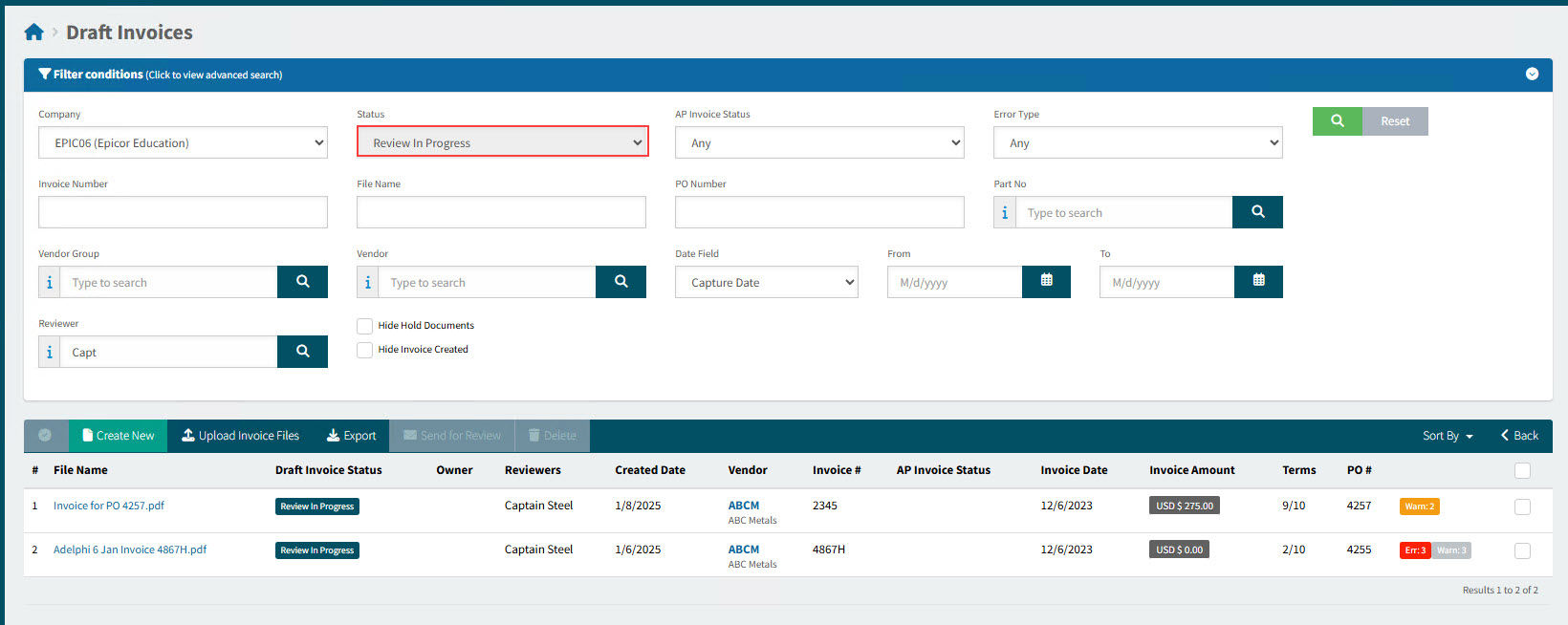
Click on OCR Documents requiring your review on your Dashboard, in the section for a specific company.
This opens the Draft Invoices page, showing Draft Invoices requiring your review.
-
Click on a Draft Invoice to open the page.
-
Review the Draft Invoice.
-
Make any required updates, and click Apply to save the changes.
-
Click
 Finish Review in the Actions section.
Details
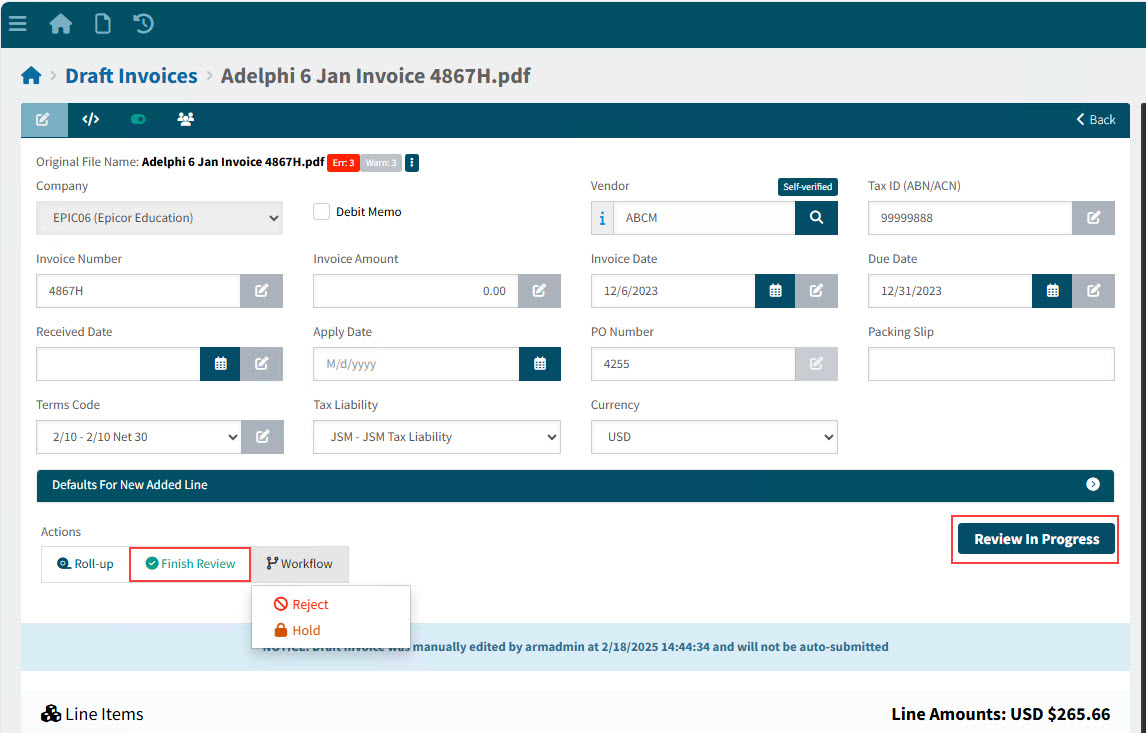
The Draft Invoice returns to its previous Status.