Sites
Each company has one or more sites, and each site has one or more locations.
For example:
Company 1
Site 1
-
Location 1
-
Location 2
Site 2
-
Location 3
-
Location 4
-
Location 5
Company 2
Site 3
-
Location 6
-
Location 7
Site 4
-
Location 8
-
Location 9
Site 5
-
Location 10
-
Location 11
-
Location 12
Sites are integrated from Kinetic Sites, in the Site integration job.
Default Location
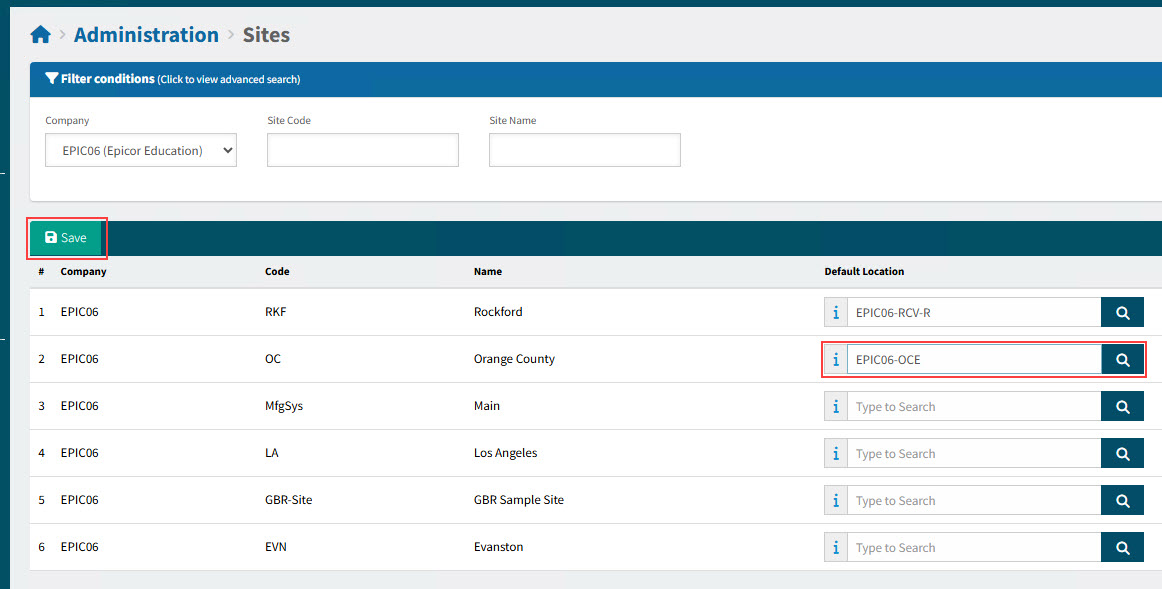
For each site in ARM, you can assign a default location, selecting from any of the locations that belong to that site.
Maintaining Sites
-
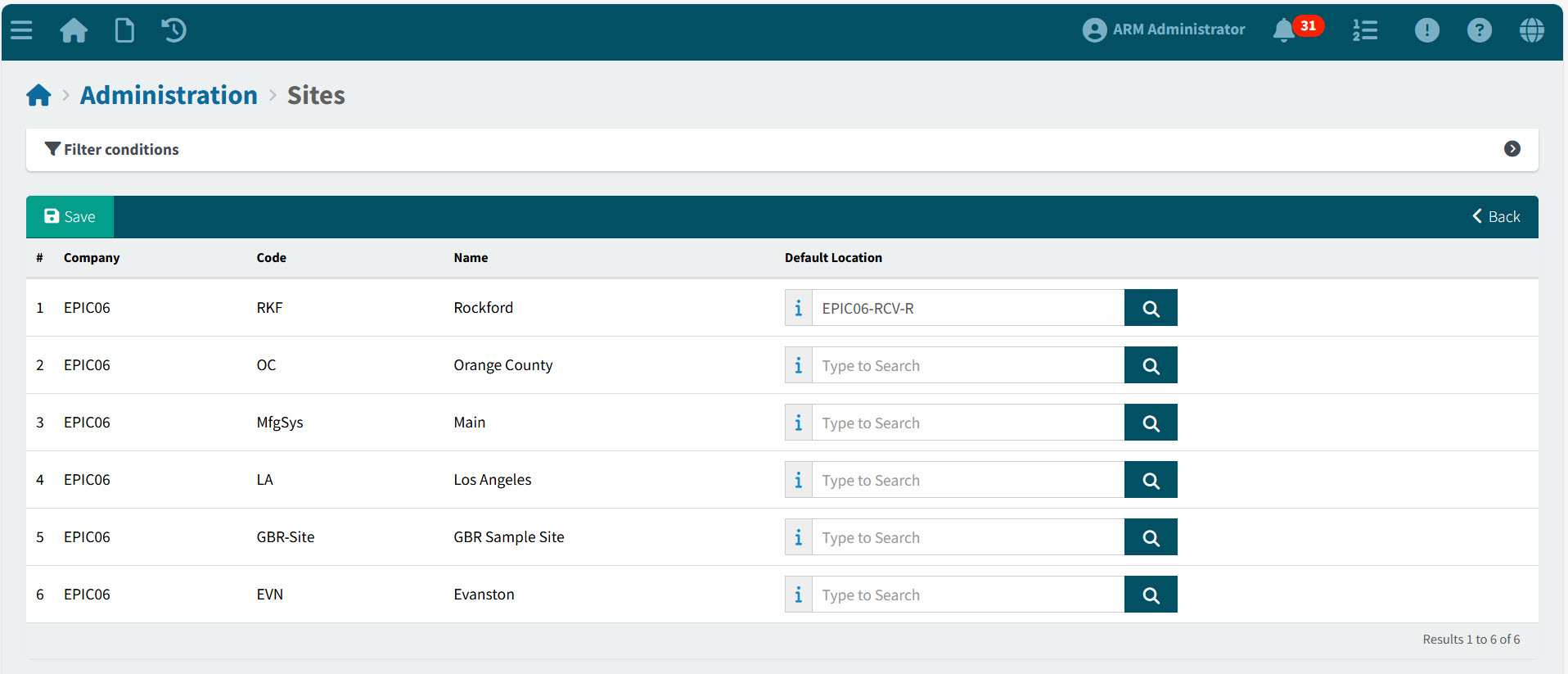
Select the Sites menu item on the Administration page. See Administration Page.
The Sites page displays.
-
To assign a default location for a site, search for a location in the Default Location search box, then click
 Save on the Menu Bar.
Detail
Companies, Sites and Locations in Draft Invoices and AP Invoices
A Draft Invoice has a Company and a Site on the header. The same applies to AP Invoices.
A user is limited to accessing Draft Invoices and AP Invoices where one of their assigned locations belongs to the Site on the Draft Invoice/AP Invoice header.
See Maintaining Users - Locations tab on the Users Detail page.
| To see which site a location belongs to, search for the location on the Locations Page. See Maintaining Locations. The Site Code appears on the location header. |
Automation
When a draft invoice is automatically generated by OCR:
-
When an invoice is received via email at site level, OCR records the Site on the Draft Invoice based on the email account that was used.
-
If a site has a default location specified, that location will be set on all lines read by the OCR.