Creating an AP Invoice from Receipts
Permissions
Creating an AP Invoice from Receipts only appears if AP Invoice is included in your permissions.
-
Select
 AP Invoice - From Receipts under
  Create a new document on the Top Menu Bar. See Creating a New Document.
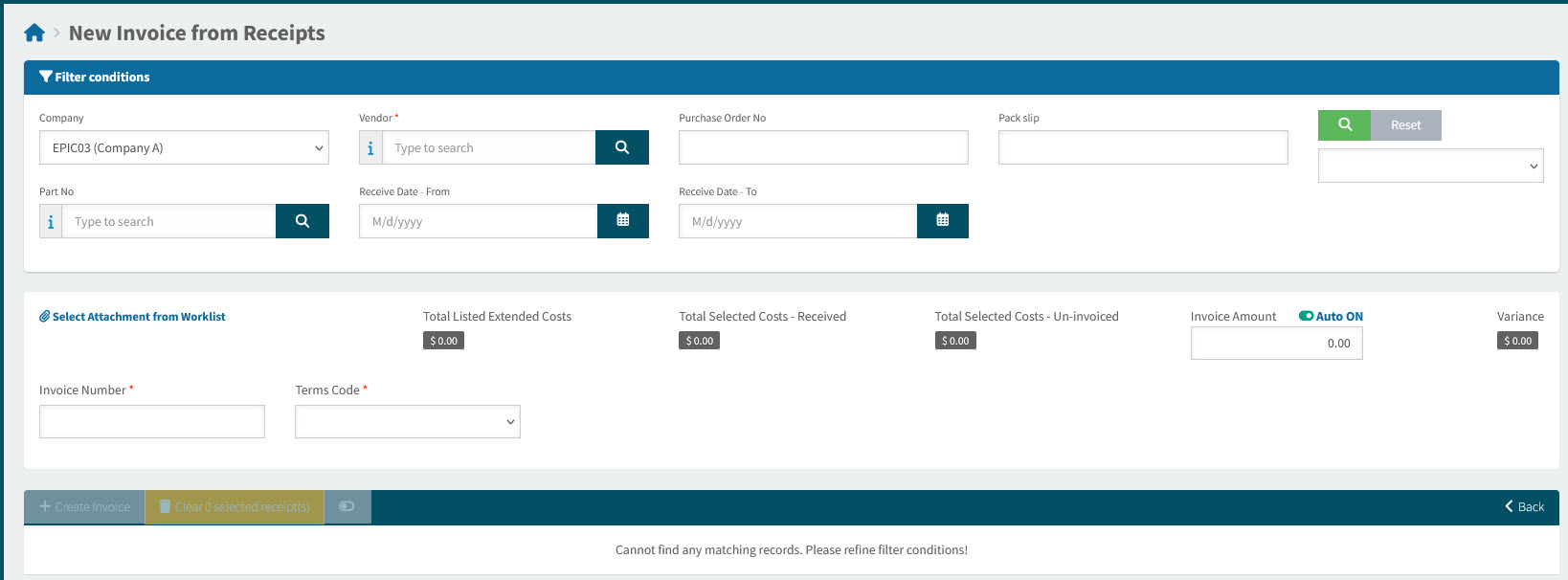
The New Invoice from Receipts form displays.
-
In the filter conditions section, select a Vendor and any other search criteria you need, then click the Search
 button.
Receipts for the selected Vendor and matching any other search criteria are listed in the search results grid.
-
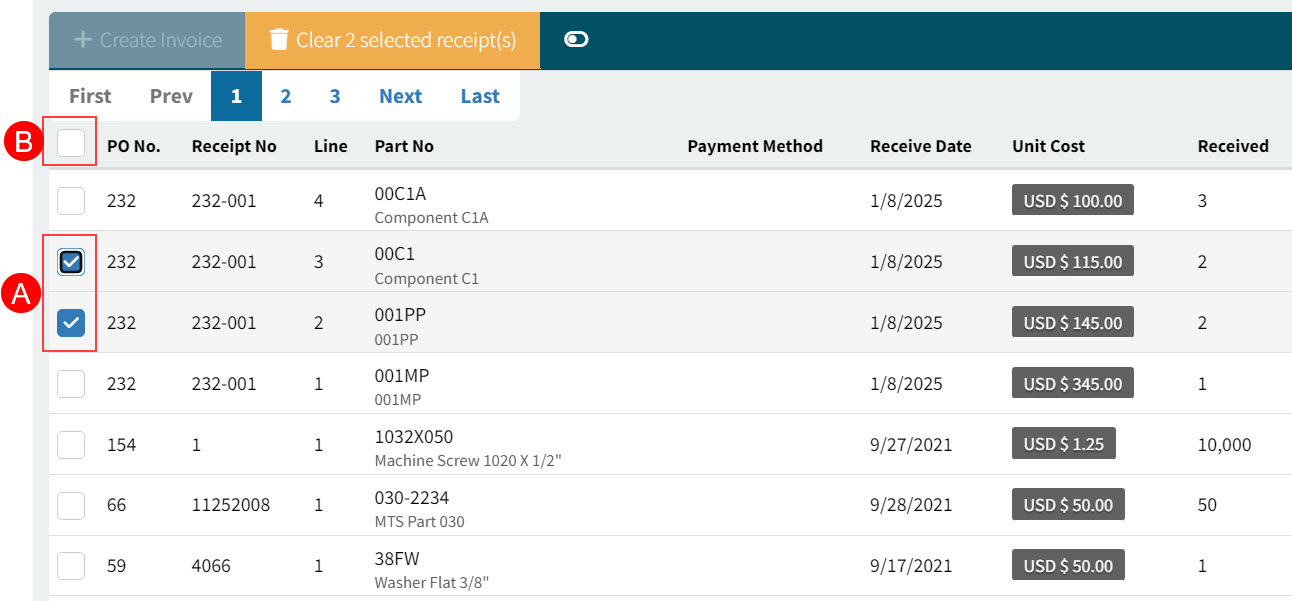
Select one or more receipts from the search results. Select the check box alongside individual lines (A) or select the check box in the column header bar (B), to select all receipts from the results.
See Detail
-
Enter the Invoice Number.
-
Update the Terms Code if necessary.
-
Click
 Create Invoice on the Search results Menu Bar.
The new AP Invoice is created and opens on the page: AP Invoices [AP Invoice Number].
-
Complete the AP Invoice details before submitting the AP Invoice. See Viewing and Editing an AP Invoice.