Side Menu
Menu options available to the current logged-in user appear in the Side Menu.
All the menu items appear on the side menu for a user with the Administrator role.
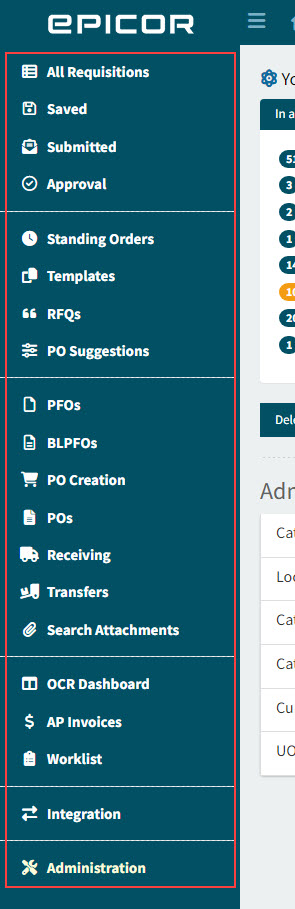
Limited menu items appear on the side menu for a non-admin user.
Menu items depend on the logged-in user’s permissions.
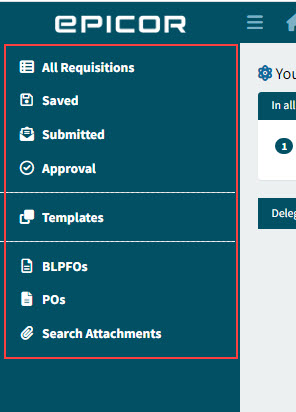
-
Select a menu item to open the related form or dashboard in the Main Panel.
| Items in the table below marked with an asterisk (*) are only available if the module is included in your organization’s license file. |
|
All Requisitions |
Opens a list of all Requisitions. See All Requisitions. |
|
Saved |
Opens a list of saved Requisitions. See Saved Requisitions. |
|
Submitted |
Opens the list of submitted Requisitions. See Submitted Requisitions. |
|
Approval |
Select to view a list of Requisitions to approve. See Approval Requisitions. |


|
Standing Orders |
Opens the list of Standing Orders. See Standing Orders. |
|
Templates |
Opens the list of Templates. See Templates. |
|
RFQs |
Opens a list of RFQs. See RFQs. |
|
PO Suggestions |
Opens a list of PO Suggestions. See PO Suggestions. |


|
PFOs |
Opens a list of Pro-Forma Orders. See PFOs. |
|
BLPFOs |
Opens a list of Blanket Pro-Forma Orders. See Blanket Pro-Forma Orders. |
|
PO Creation |
Opens a list of Pro-Forma Orders that are ready for Purchase Order creation. See PO Creation. |
|
Purchase Orders (POs) |
Opens a list of Purchase Orders. See Purchase Orders. |
|
Receiving |
Opens a list of Purchase Orders to receive. See Receiving. |
|
Transfers * |
Opens a list of Transfers. See Transfers. |
|
Search Attachments |
Opens the Search Attachments page. See Search Attachments. |


|
Draft Invoices * |
Opens the Draft Invoices. See Draft Invoices Page. |
|
AP Invoices * |
Opens the AP Invoices. See AP Invoices Page. |


|
Integration |
Opens the Integration dashboard. See Integration. |

|
Administration |
Opens the Administration page. See Administration Page. |
