Holding a Draft Invoice
To hold a Draft Invoice:
-
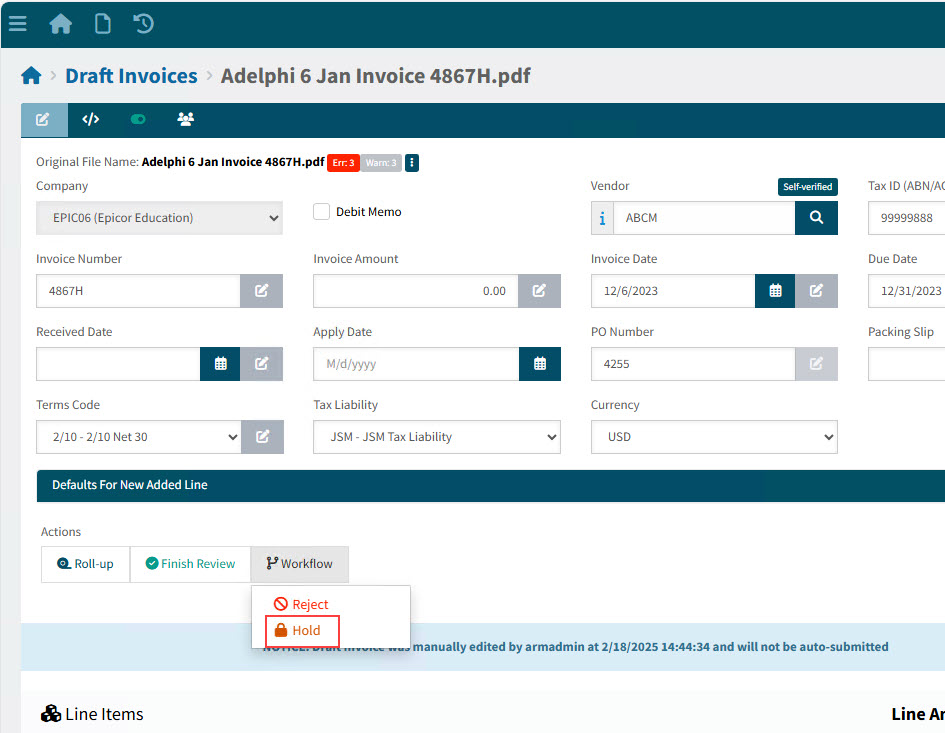
Click
 Hold on the Workflow menu in the Actions section.
Details
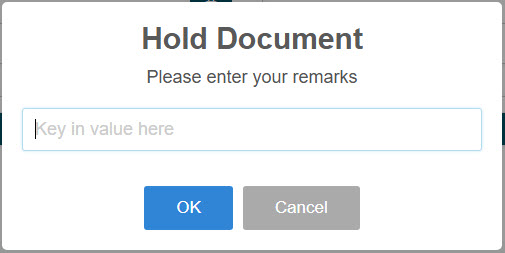
The On Hold pop-up displays.
-
Enter a remark.
-
Click OK.
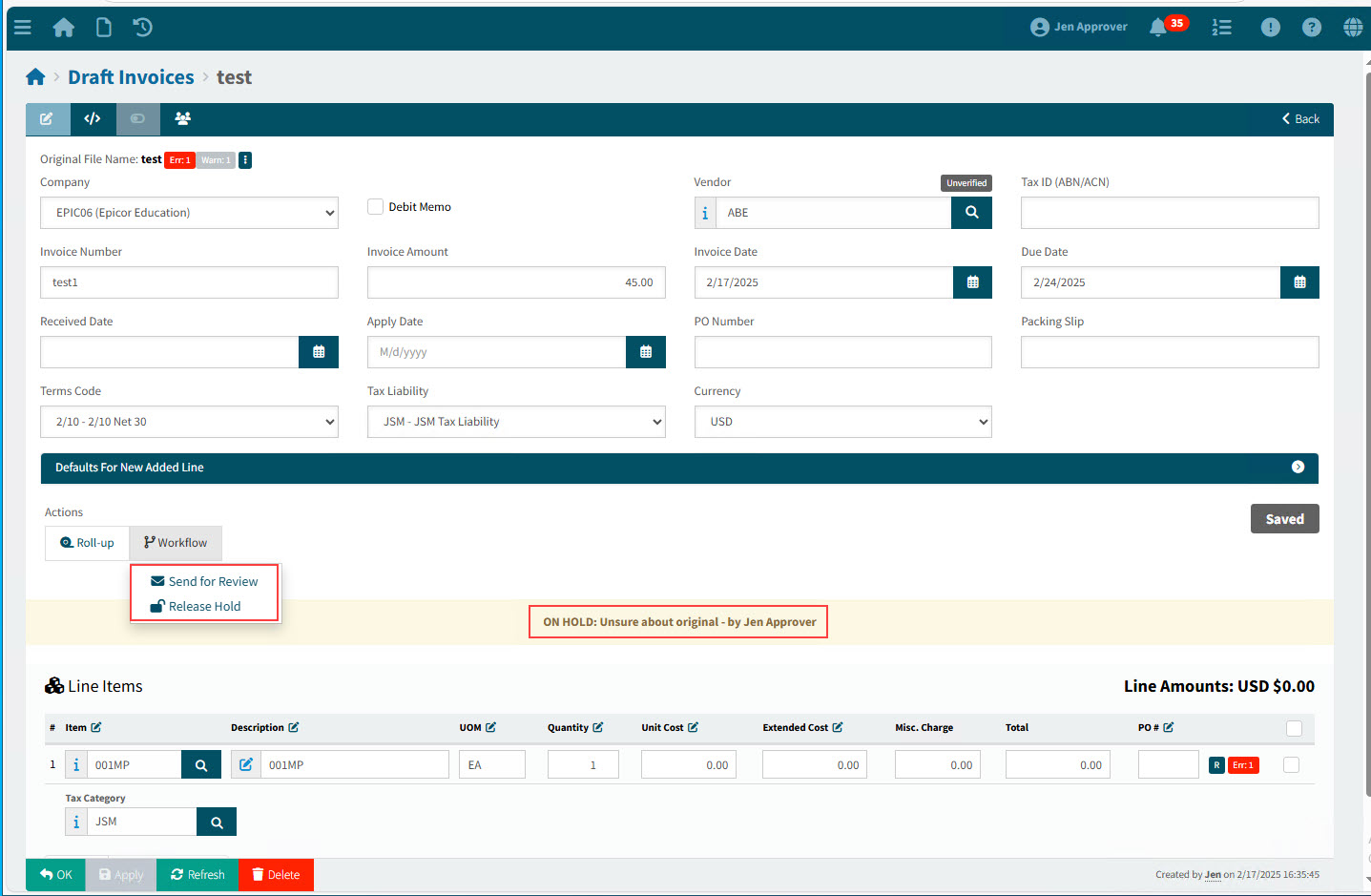
The Draft Invoice is put on hold.
-
You can send the document for a review. See Sending Draft Invoices for Review.
-
When the Draft Invoice can be worked on again, you can click
 Release Hold on the Workflow menu in the Actions section.