Creating a New Document
-
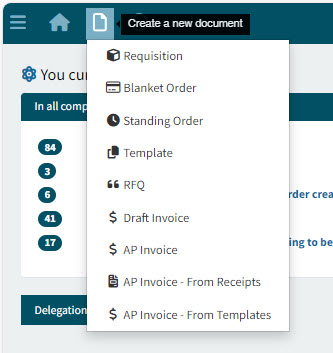
Select Create a new document from the Top Menu Bar to create a new document.
If there is only one document type available to you, there will be no list, and a new page opens for that document type.
Otherwise, a list of document types appears: Requisition, Blanket Order, etc.
The list of available Document Types depends on your permissions. -
Select a document type from the list:
A new page opens for the selected document type.
The following sections describe how to create the different document types.