Rejecting an AP Invoice
You can reject an AP Invoice if you are an active approver in the approval workflow, and the AP Invoice has the Approval In Progress status.
To reject an AP Invoice:
-
Click on AP Invoice requiring your review/approval on your Dashboard, in the section for a specific company.
Detail
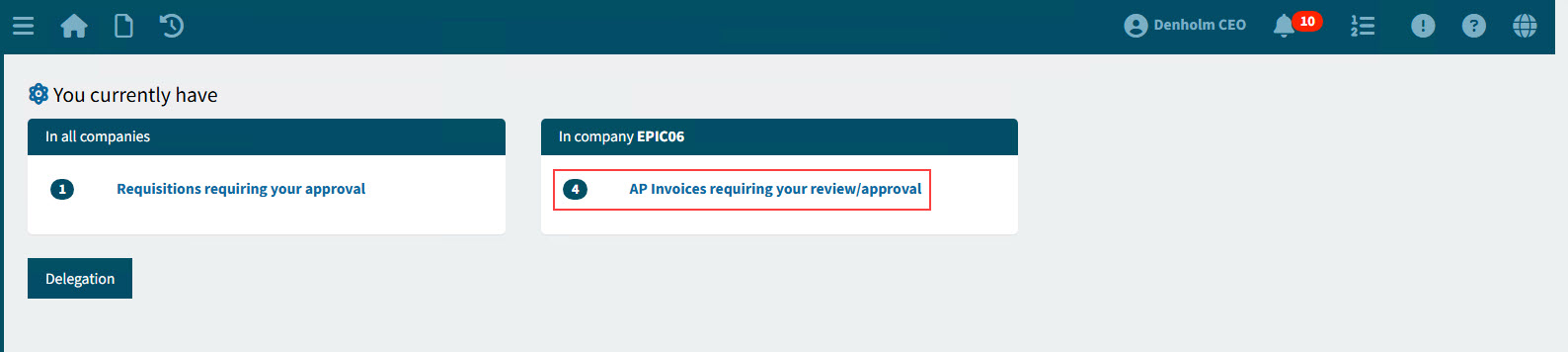
This opens the AP Invoices page, showing AP Invoices requiring your review or approval.
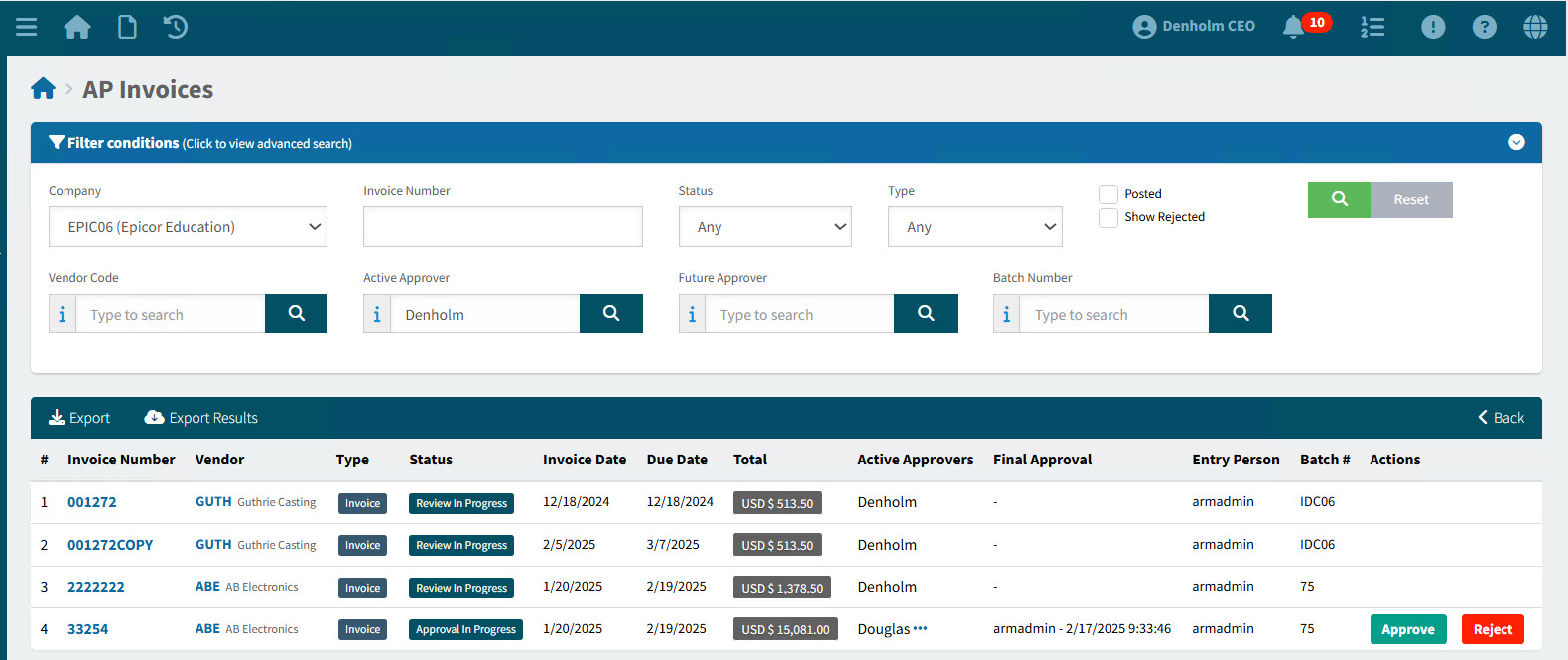
-
You can reject an AP Invoice from the summary page or from the detail page.
Viewing the Reject Reason
-
To view the 'Reject Reason', click on the
 workflow icon, to open the Workflow Diagram. Hover over the reject icon in the Workflow diagram.
 -
Alternatively, hover over the Rejected Status on the AP Invoices summary page. If there is a reason, it will appear in a tooltip.
Rejecting from the Summary page
You can quickly reject an invoice on the Summary page.
-
In the search results grid, click on the Reject button for an AP Invoice with the Status Approval In Progress, where you are listed as an Active Approver.
Details
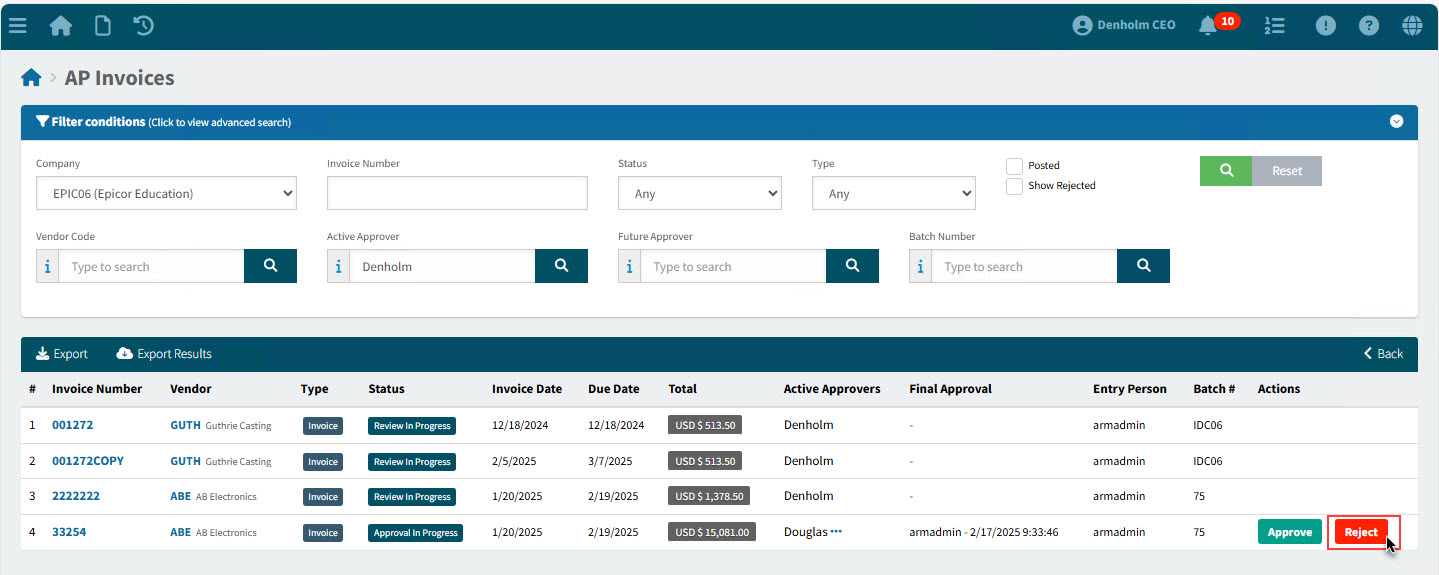
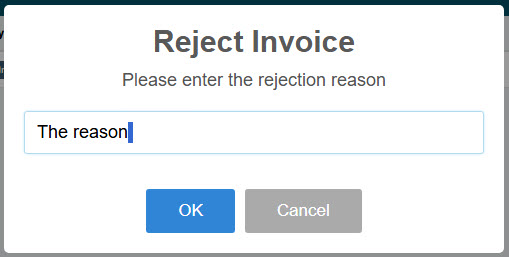
The Reject Invoice pop-dialogue appears.
-
Enter a rejection reason in the Reject Invoice dialog.
-
Click OK.
The AP Invoice is rejected, and its Status updated to Rejected.
Rejecting from the Detail page
Open the Invoice detail page, to view the invoice details before rejecting.
-
In the search results, click on the Invoice Number to open the detail page.
-
On the AP Invoice > [Invoice Number] page, click Reject under Workflow in the Actions section to approve the AP Invoice.
Details
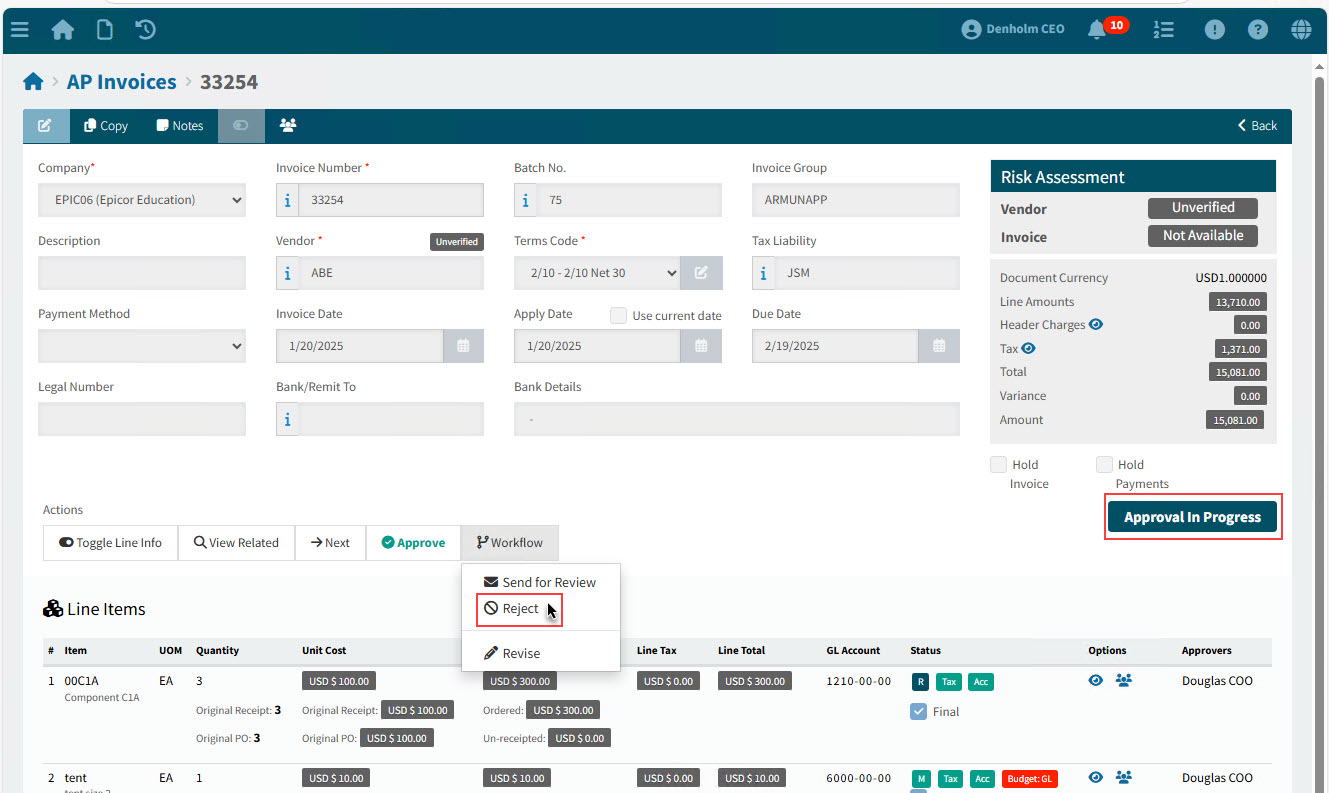
The Reject Invoice pop-dialogue appears.
-
Enter a rejection reason in the Reject Invoice dialog.
-
Click OK.
The AP Invoice is rejected, and its Status updated to Rejected.